


Download Google Drive – Cloud Storage, File Management, Google Integration
Overview
Google Drive is a cloud-based file storage and synchronization service designed to provide seamless access to documents, images, and other digital files across multiple devices. As part of the broader Google ecosystem, it serves as a centralized hub for personal and professional file management. The software enables users to store, organize, share, and access files from virtually any internet-connected device, making it ideal for students, remote workers, and teams requiring consistent access to shared resources.
Google Drive addresses common challenges such as file fragmentation across devices, loss due to hardware failure, and difficulty in real-time collaboration. Its integration with other Google services—including Gmail, Docs, Sheets, and Meet—enhances workflow continuity, especially in collaborative environments. Users can manage files through a web browser or dedicated desktop and mobile applications, ensuring accessibility regardless of platform.
The developer, Google LLC, is a well-established technology company known for its extensive suite of digital tools. While the service is free to use with 15GB of shared storage across Gmail, Drive, and Google Photos, additional space is available through paid subscriptions. The software is particularly suited for individuals and organizations seeking a secure, scalable, and interoperable solution for digital content management.
Key Features & Capabilities
- Cloud File Storage – Store documents, photos, videos, and other file types in the cloud with access from any device with internet connectivity.
- Real-Time Collaboration – Enable multiple users to view, comment on, or edit shared files simultaneously through integration with Google Docs, Sheets, and Slides.
- File Version History – Revert to previous versions of files in case of accidental changes or errors, preserving data integrity.
- Offline Access – Work on files without an internet connection by enabling offline mode, with changes synced automatically upon reconnection.
- Advanced Search Functionality – Locate files quickly using keywords, file types, owners, or date filters, leveraging Google’s powerful search engine.
- Optical Character Recognition (OCR) – Convert images and scanned documents into editable and searchable text.
- Activity Stream – Track recent file changes and updates within the details panel, improving visibility in collaborative workflows.
- Granular Sharing Controls – Set individual permissions for files and folders, allowing specific users to view, edit, or comment.
These capabilities support a wide range of real-world use cases, from managing school assignments and personal photo libraries to coordinating project deliverables in a business setting. The ability to access files from any device ensures continuity in both personal and professional environments.
User Interface, Workflow & Performance
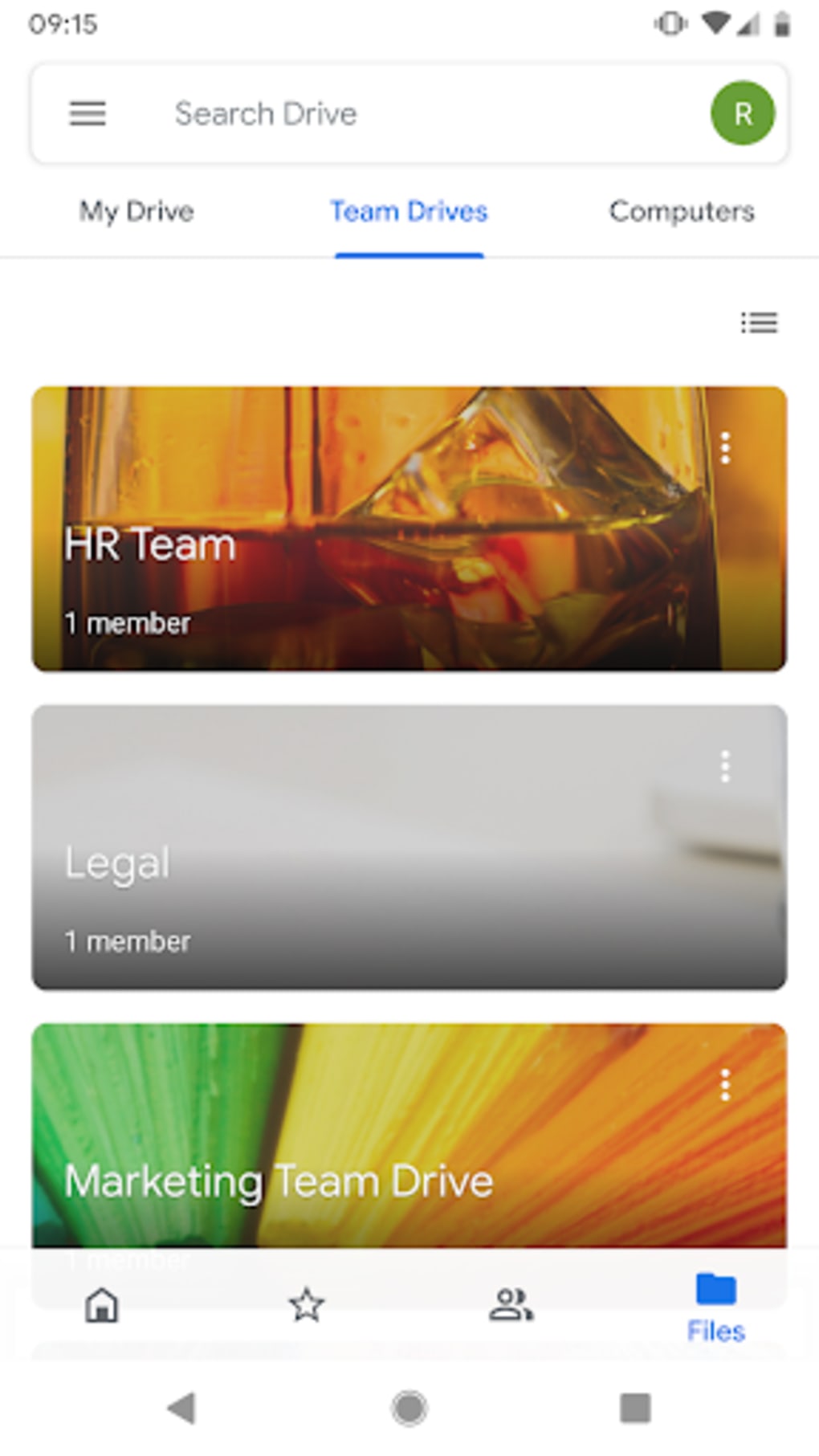
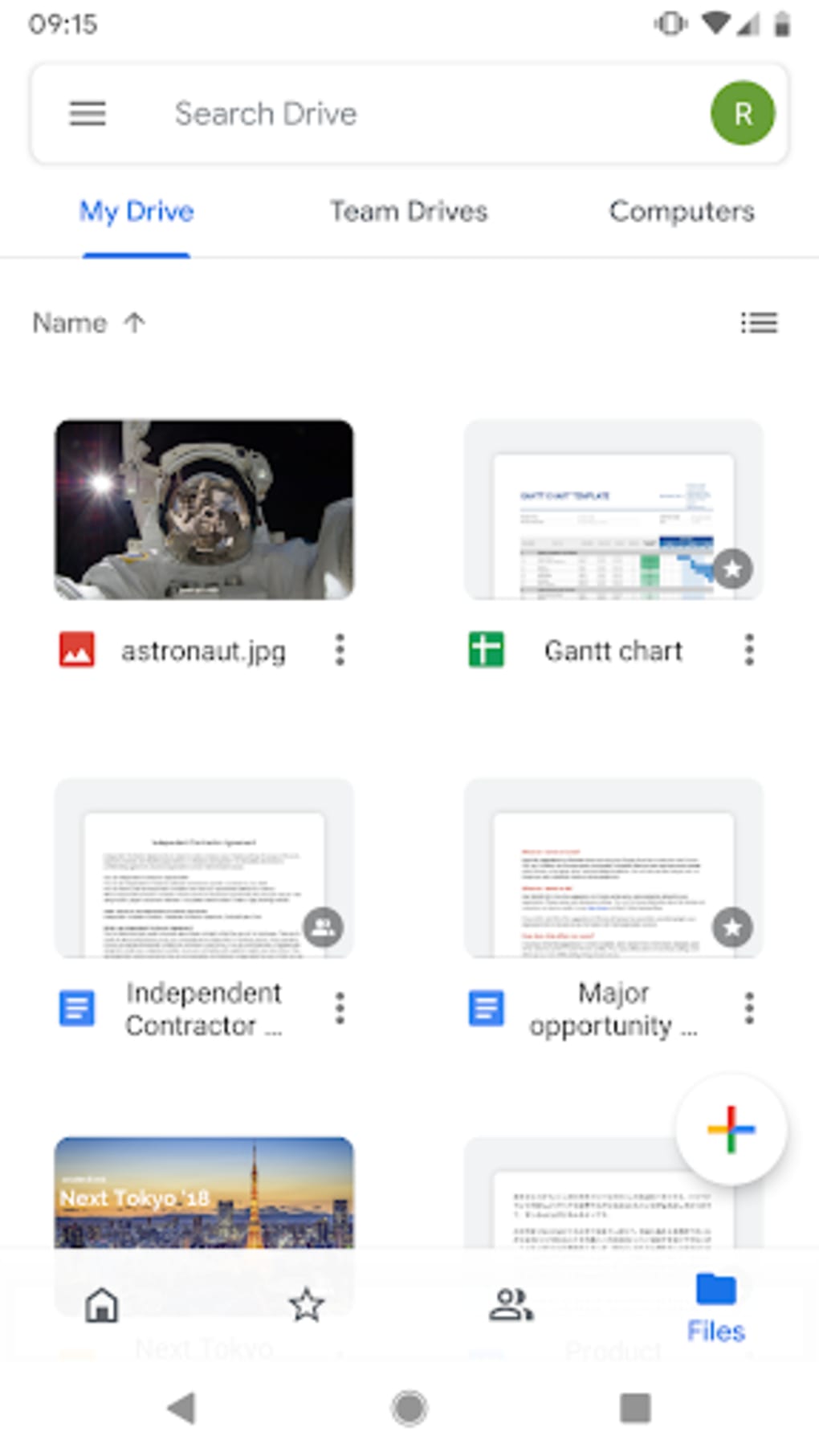
The user interface of Google Drive is clean, intuitive, and consistent across platforms. The main dashboard displays files and folders in a hierarchical structure, with navigation options available through a side menu. Users can filter content by type, status (e.g., recent, starred), or location (e.g., My Drive, Shared with me).
Navigation is streamlined with clear icons and contextual menus. Actions such as uploading, sharing, renaming, or downloading files are accessible through simple taps or clicks. The upload tool supports drag-and-drop functionality on desktop systems, enhancing workflow efficiency for bulk file transfers.
Performance is generally stable under typical usage conditions. The software operates efficiently on modern hardware and maintains responsiveness during file browsing and syncing. The developer did not specify resource usage details, but general behavior suggests low CPU and RAM consumption during idle states. Synchronization occurs in the background, minimizing disruption to ongoing tasks.
While the interface is user-friendly, certain limitations exist. For instance, batch operations such as selecting multiple files for renaming or moving are not supported, requiring manual processing for each file. This can reduce efficiency when managing large numbers of files.
Compatibility & System Requirements
Google Drive is compatible with a wide range of operating systems, including Windows, macOS, Android, iOS, and Chrome OS. The desktop application supports both 32-bit and 64-bit versions of Windows and macOS, though exact system requirements were not listed.
The installation size varies depending on the platform and configuration, but the software is designed to be lightweight and non-intrusive. The developer did not provide specific hardware requirements, such as minimum RAM or processor speed.
Platform compatibility information is limited to the listed operating systems. Users are advised to ensure their system meets general software installation standards. The service requires an active internet connection for full functionality, particularly for syncing and accessing cloud-stored content.
Pros and Cons
Pros
- Generous 15GB of free storage shared across Gmail, Drive, and Google Photos
- Seamless integration with Google Workspace apps (Docs, Sheets, Slides)
- Real-time collaboration and version history for file recovery
- Offline access allows work without internet connectivity
- Powerful search with filters for quick file retrieval
- Supports OCR for converting images into editable text
- Activity Stream provides visibility into recent file changes
- Available on multiple platforms including desktop and mobile
Cons
- Editing of documents must be done through separate Google apps (e.g., Docs, Sheets)
- Limited batch operations for file management (e.g., no multi-select for renaming or moving)
- No automatic photo backup from mobile devices to Drive
- Additional storage requires a paid subscription beyond the free tier
- Dependency on internet connection for full functionality
- File permissions can be complex for new users to manage
FAQ Section
Is Google Drive free to use?
Yes, Google Drive offers 15GB of free storage that is shared across Gmail, Google Drive, and Google Photos. Additional storage is available through paid plans.
Can I use Google Drive without an internet connection?
Yes, files can be accessed and worked on offline after enabling offline mode in the settings. Changes are synced automatically when the device reconnects to the internet.
Is Google Drive secure?
Google Drive uses encryption to protect data both in transit and at rest. Users can enhance security by enabling two-factor authentication for their Google account.
Does Google Drive support Microsoft Office file formats?
Yes, files in formats such as .docx, .xlsx, and .pptx can be uploaded and viewed, but editing requires the use of Google Docs, Sheets, or Slides, or the corresponding Microsoft applications.
How often does Google Drive update?
Updates are released regularly by Google to improve performance, add features, and address security issues. Users are encouraged to keep the app and operating system up to date.
Final Thoughts
Google Drive stands out as a reliable, feature-rich solution for digital file management, particularly for users already embedded in the Google ecosystem. Its combination of cloud storage, real-time collaboration, and cross-platform accessibility makes it a top choice for students, professionals, and teams. While limitations exist—such as the lack of in-app document editing and batch operations—the overall user experience remains smooth and efficient.
For individuals seeking a secure, scalable, and integrated platform to store, access, and share files from anywhere, Google Drive delivers consistent value. The inclusion of advanced features like Activity Stream and OCR further enhances its utility in modern workflows.
Download Google Drive now






.png)
